

Enrichments
Enrichments allow you to augment your log events with supplemental data based on pattern matching.
How it works
An enrichment in Runreveal consists primarily of two parts:
-
An enrichment configuration, which contains metadata about your enrichment like
NameandDescription, which log sources to enrich, as well as information about which log event field you wish to match with. -
A set of enrichment
Rules, which describe the data you wish to add to your log events, and the conditions when you would like that data added.
Sources list vs pipeline Enrich steps. Custom enrichments require at least one source under Choose sources to enrich. That list is enforced when a pipeline uses Run all enrichments (or the default “apply all enrichments” behavior): an event is only considered if its source name is on the enrichment’s list and a rule matches. Leaving the source list empty does not mean “all sources.”
If you add an Enrich step that targets a specific enrichment by ID, the sources list is bypassed—any event that reaches that step is evaluated against the enrichment’s rules. Use a specific Enrich step when you need one enrichment to apply across sources that are not all listed on the enrichment itself.
Manage enrichment rules
Add rules in the UI
On the create or edit enrichment page, use the Rules section to add rules manually with:
- Match type (
exact,regex, orcidr) - Pattern
- Data object (string keys and string values)
Load rules from CSV
For large rule sets, use the Load from file button in the Rules section.
Your CSV must have:
- Exactly 3 columns
- Comma-delimited rows
- Double-quoted values (escape inner quotes with
"")
Each row must follow:
Where:
match_typeis one ofexact,regex, orcidrpatternis the value to matchdatais a JSON object with string keys and values (no nested objects)
Example rows:
Edit existing rules
Clicking a row in the rules table does not open an inline rule editor.
To update an existing rule:
- Delete the existing rule from the rules table
- Add a new rule with the updated values
- Click
Update Enrichmentto save
If you add a rule with the same pattern as an existing rule, the UI adds another entry instead of replacing the original one automatically. To avoid ambiguity, delete the old rule first.
If you prefer, you can also use the Chat Agent tool EnrichmentUpdate to directly edit the enrichment for you.
Manage enrichments with the API
You can also create and update enrichments programmatically with:
POST /enrichments/createPOST /enrichments/updatePOST /enrichments/appendrulesGET /enrichments/getGET /enrichments/listDELETE /enrichments/delete
All enrichment endpoints require workspaceid as a query parameter and Authorization: Basic <TOKEN>.
Example
Let's say you are wanting to enrich log events from your cloudflare audit log source, to map user emails to user id's from some other external system you have.
First, let us take a look at an example log event from that source, a log in event from [email protected]:
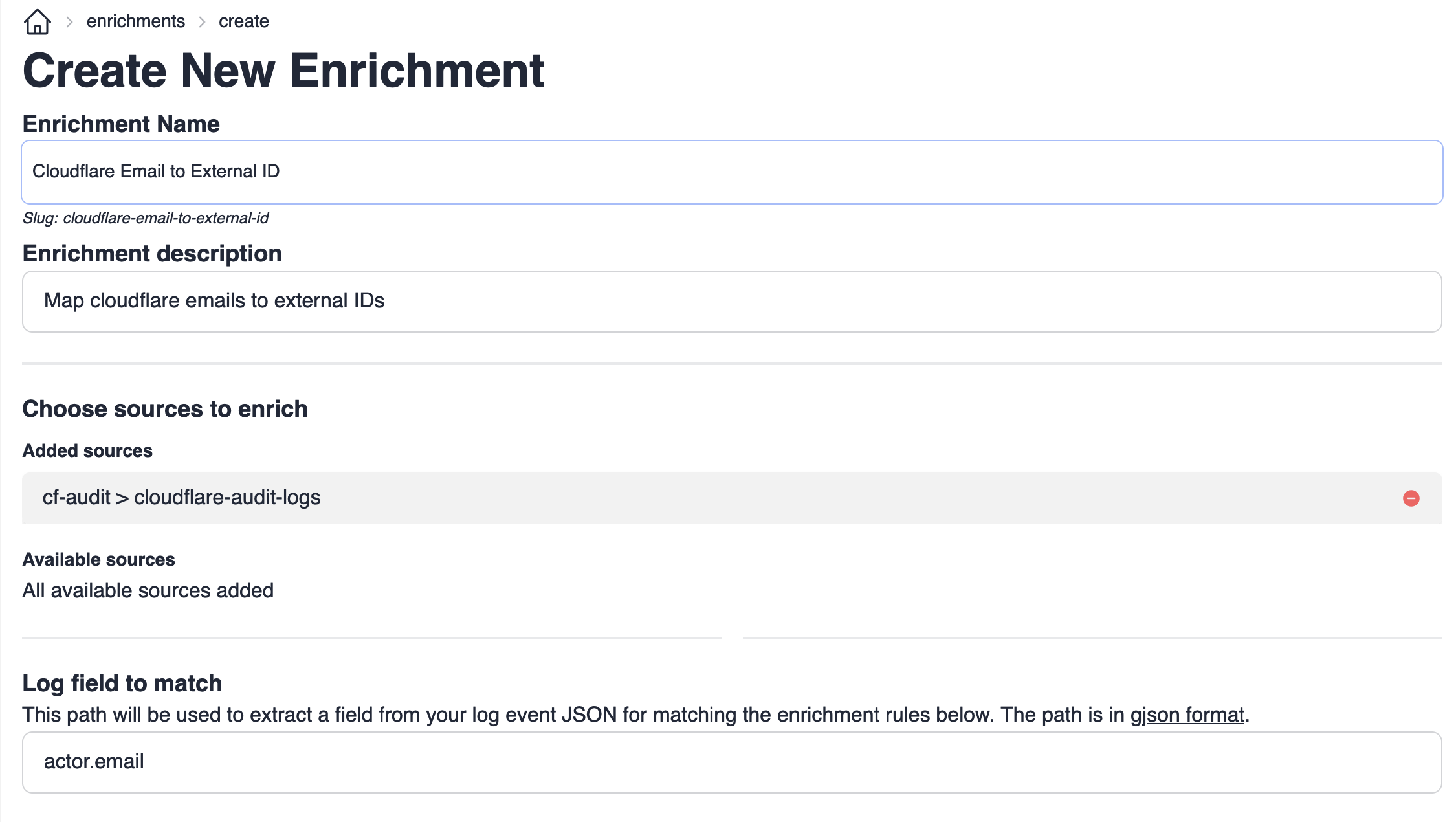
To create our enrichment configuration, we need to determine which log event field we want to match with to look up our
supplemental data. We tell the enrichment configuration how to find this field using
gjson path notation. In this case, we could create
an enrichment configuration with path actor.email configured to enrich the cloudflare audit log source.
Next, we will want to define a set of rules which will map cloudflare user email adresses to user id's. If [email protected] here
had user id 12345, then we could make a rule:
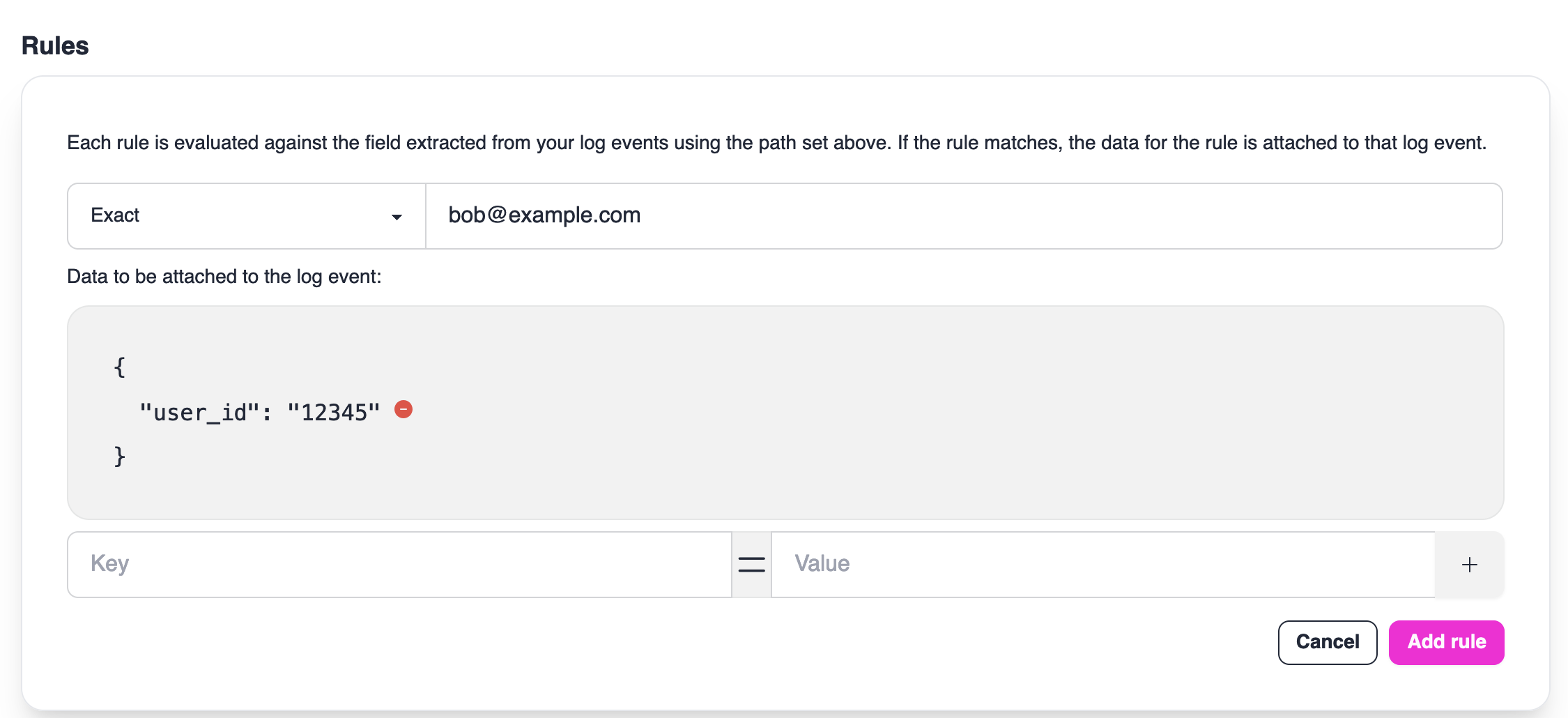
This would tell Runreveal to match any log event where the value of actor.email is exactly [email protected]. If the event
does match, then {"user_id": "12345"} will be added to the enrichments field of the log event before it is written to its destination.
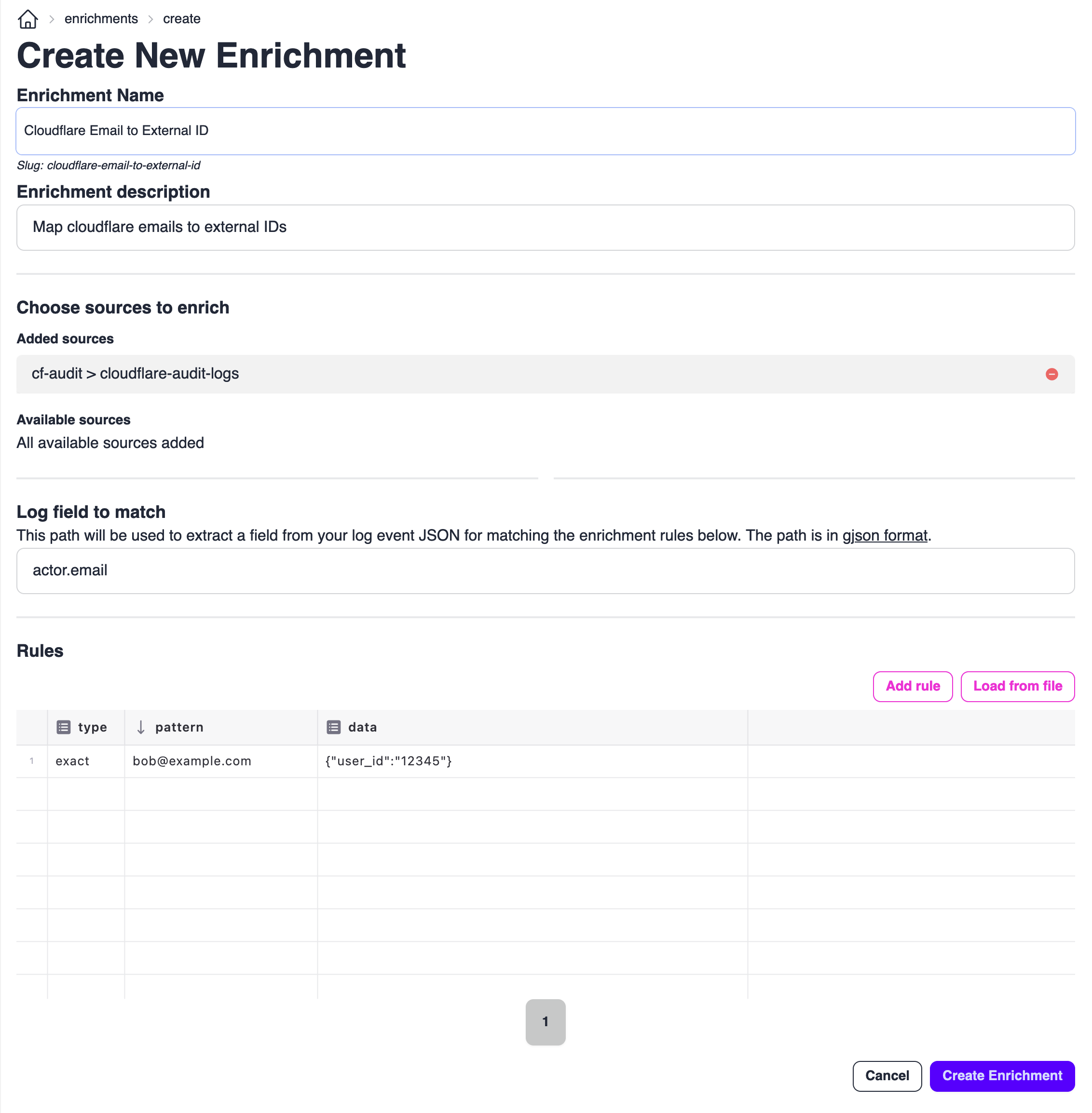
Now, we can save and enable our enrichment by clicking the Create Enrichment button:
To verify that our enrichment is working, we can search for our newly enriched events on the Explore page:
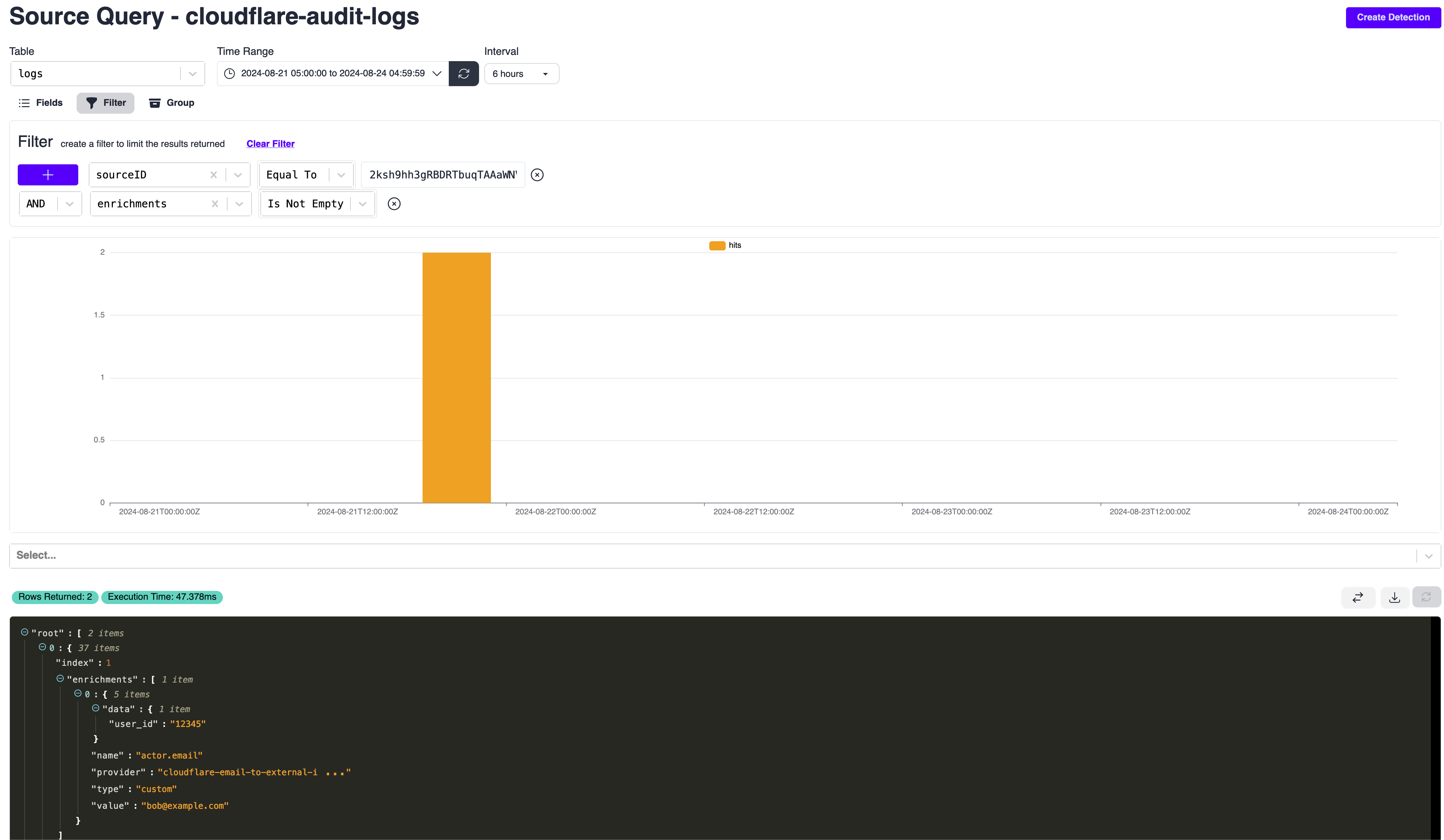
From the results, we can see our resulting log event ends up in the logs table as:
Use Cases
Enrichments are powerful tools for tagging events with metadata that can be used for filtering, detection tuning, and compliance. Below are common patterns for using enrichments to manage log processing.
Exclude Known-Good Activity from Detections
Use enrichments to tag events from trusted service accounts, automation systems, or known-good IP ranges. Your detections can then check for these enrichment flags to reduce false positives.
Tag Service Accounts for Detection Exclusion
Create an enrichment to tag events from known service accounts. Detections can check for this flag to skip expected automation activity.
Step 1: Create the Enrichment
Navigate to Enrichments → Click Create Enrichment → Name it service-account-exclusions → Set Match Field to actor.email
Step 2: Add Service Account Rules
Add rules for each service account you want to exclude from detections
The enrichment handles all pattern matching logic. Your detections only need to check for the exclude_from_detections flag, making them simpler and more maintainable.
Tag Trusted IP Ranges
Tag events from corporate VPN, office networks, or trusted cloud infrastructure to reduce noise in network-based detections.
Related Documentation
- Log Processing Getting Started - Understand where enrichments fit in the full log processing pipeline.
- Transforms - Parse, normalize, and reshape fields before matching enrichment rules.
- Filtering - Route or scope logs before they are enriched.
- Dropping - Drop events based on enrichment flags such as
should_drop. - Writing Detections - Use enrichment metadata in detection logic to tune fidelity.
- Queries - Validate enrichment outcomes and investigate enriched events with SQL.