

Kandji
Collect audit logs from your Kandji account to monitor device management actions and administrative changes. RunReveal polls the Kandji audit events API every 60 seconds.
Setup
Step 1 — Create a Kandji API token
Kandji tokens have no permissions by default. You must explicitly grant List audit events or RunReveal will receive a permission error when it tries to connect — even if the URL and token are otherwise correct.
- In the Kandji web app go to Settings → Access.
- Note your API URL — it looks like
https://YOUR_SUBDOMAIN.api.kandji.io. You'll need this in Step 2. - Click Add Token, give it a name (for example
RunReveal), and under permissions enable List audit events. No other permissions are needed. - Copy the token value — it is only shown once.
If the connection test fails with an authorization or permission error, go back to Settings → Access, open the token, and confirm List audit events is checked. If you're unsure what permissions were set, delete the token and create a new one.
Step 2 — Connect in RunReveal
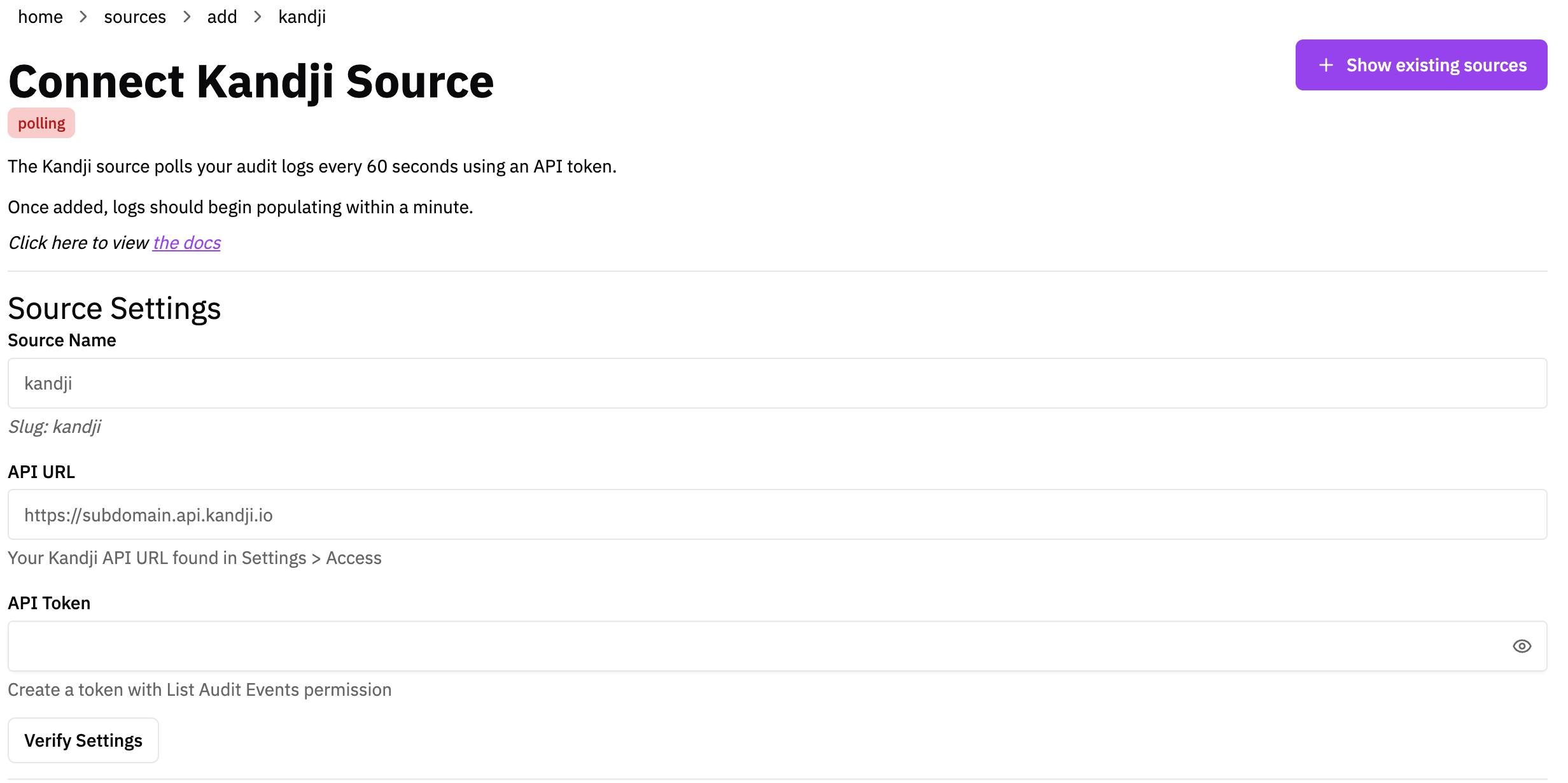
- Go to Sources → Add Source and click the Kandji tile.
- Give the source a name and click Connect Source.
- Enter your Kandji API URL (from Step 1) and paste in your API token.
- Click Verify to confirm RunReveal can reach the API, then save.
Logs begin appearing within a minute. Historical audit events are backfilled on the first sync.
Verify It's Working
Once added the source logs should begin flowing within a minute.
You can validate we are receiving your logs by running the following SQL query.
Schema
The following columns are exposed for this source. RunReveal applies schema normalization across all sources, ensuring uniform field names and data types for cross-source queries and reusable detection logic.
Table: kandji_logs (46 columns)
kandji_logs (46 columns)| Column | Type |
|---|---|
workspaceID | String |
sourceID | String |
sourceType | String |
sourceTTL | UInt32 |
receivedAt | DateTime |
id | String |
eventTime | DateTime |
eventName | String |
eventID | String |
srcIP | String |
srcASCountryCode | String |
srcASNumber | UInt32 |
srcASOrganization | String |
srcCity | String |
srcConnectionType | String |
srcISP | String |
srcLatitude | Float64 |
srcLongitude | Float64 |
srcUserType | String |
dstIP | String |
dstASCountryCode | String |
dstASNumber | UInt32 |
dstASOrganization | String |
| Column | Type |
|---|---|
dstCity | String |
dstConnectionType | String |
dstISP | String |
dstLatitude | Float64 |
dstLongitude | Float64 |
dstUserType | String |
actor | Map(String, String) |
tags | Map(String, String) |
resources | Array(String) |
serviceName | String |
enrichments | Array(Tuple(data Map(String, String), name String, provider String, type String, value String)) |
readOnly | Bool |
rawLog | String |
kandjiEventId | String |
action | String |
actorId | String |
actorType | String |
occurredAt | String |
targetType | String |
targetId | String |
targetComponent | String |
newState | String |
metadata | String |