

Duo Security
Collect authentication logs from your Duo Security account to monitor user authentication events and multi-factor authentication activities.
Duo Security logs allow you to view authentication events from your Duo account. RunReveal will poll the Duo Admin API to retrieve your authentication logs every 5 minutes.
Setup
To setup your Duo Security source, you will need API credentials from your Duo account with the appropriate permissions.
Duo API Credentials
- Log in to your Duo Admin Panel
- Navigate to Applications → Application Catalog
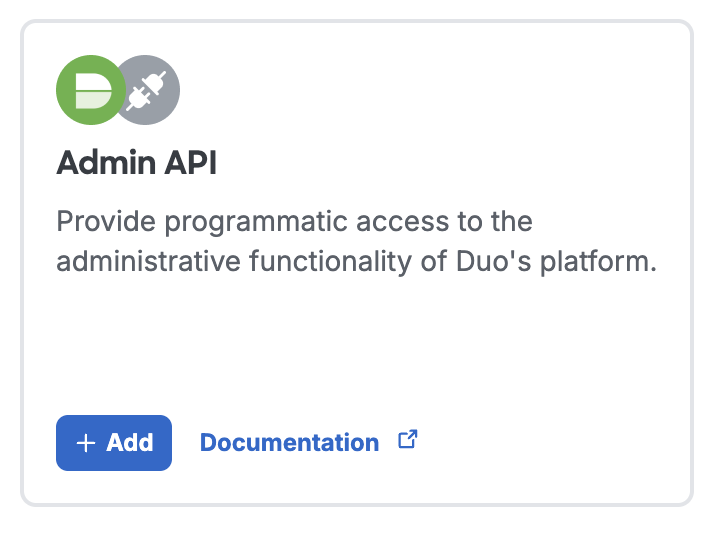
- Find Admin API and click + Add to create a new Admin API application
-
When configuring the Admin API application, ensure it has Read logs permission enabled
-
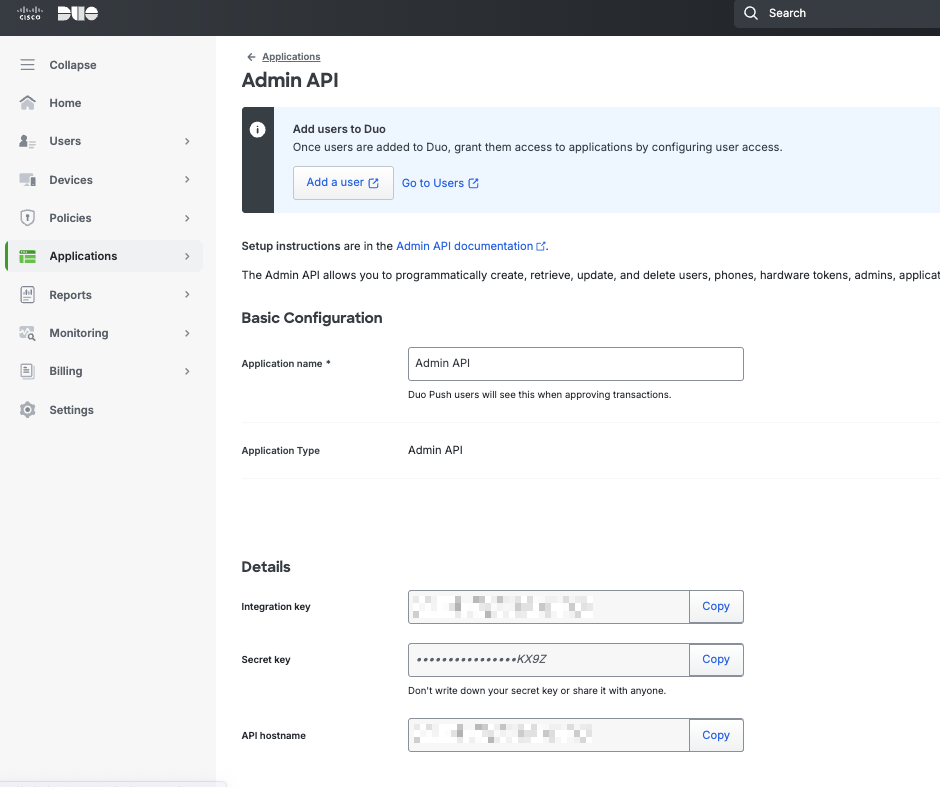
Copy the following credentials from the application details:
- Integration key
- Secret key
- API hostname (e.g.,
api-xxxxx.duosecurity.com)
- In RunReveal, create a new Duo Security source
- Enter the credentials from step 5:
- Integration key: Your Duo integration key
- Secret key: Your Duo secret key
- API hostname: Your Duo API hostname
Firewall Rules: If your Duo account has firewall rules or IP restrictions that limit API access, you may need to whitelist RunReveal's outbound IP addresses. See Network Connectivity and IP Whitelisting for the IP addresses to add to your firewall allowlist.
Verify It's Working
Once added, the source logs should begin flowing within a minute.
You can validate we are receiving your logs by running the following SQL query.
Schema
The following columns are exposed for this source. RunReveal applies schema normalization across all sources, ensuring uniform field names and data types for cross-source queries and reusable detection logic.
Table: duo_logs (89 columns)
duo_logs (89 columns)| Column | Type |
|---|---|
workspaceID | String |
sourceID | String |
sourceType | String |
sourceTTL | UInt32 |
receivedAt | DateTime |
id | String |
eventTime | DateTime |
eventName | String |
eventID | String |
srcIP | String |
srcASCountryCode | String |
srcASNumber | UInt32 |
srcASOrganization | String |
srcCity | String |
srcConnectionType | String |
srcISP | String |
srcLatitude | Float64 |
srcLongitude | Float64 |
srcUserType | String |
dstIP | String |
dstASCountryCode | String |
dstASNumber | UInt32 |
dstASOrganization | String |
dstCity | String |
dstConnectionType | String |
dstISP | String |
dstLatitude | Float64 |
dstLongitude | Float64 |
dstUserType | String |
actor | Map(String, String) |
tags | Map(String, String) |
resources | Array(String) |
serviceName | String |
enrichments | Array(Tuple(data Map(String, String), name String, provider String, type String, value String)) |
readOnly | Bool |
rawLog | String |
duoTxId | String |
duoTimestamp | DateTime |
duoIsoTimestamp | String |
duoResult | String |
duoReason | String |
duoFactor | String |
duoEventType | String |
duoEmail | String |
duoAlias | String |
| Column | Type |
|---|---|
duoTrustedEndpointStatus | String |
duoOodSoftware | Nullable(String) |
duoPassportIsSupported | Bool |
duoPassportReason | String |
duoTrustedSessionUUID | String |
duoApplicationKey | String |
duoApplicationName | String |
duoUserKey | String |
duoUserName | String |
duoUserGroups | Array(String) |
duoAccessDeviceIP | String |
duoAccessDeviceBrowser | String |
duoAccessDeviceBrowserVersion | String |
duoAccessDeviceEpkey | String |
duoAccessDeviceFlashVersion | String |
duoAccessDeviceHostname | Nullable(String) |
duoAccessDeviceIsEncryptionEnabled | String |
duoAccessDeviceIsFirewallEnabled | String |
duoAccessDeviceIsPasswordSet | String |
duoAccessDeviceJavaVersion | String |
duoAccessDeviceOS | String |
duoAccessDeviceOSVersion | String |
duoAccessDeviceSecurityAgents | Array(String) |
duoAccessDeviceCity | String |
duoAccessDeviceCountry | String |
duoAccessDeviceState | String |
duoAuthDeviceIP | String |
duoAuthDeviceKey | String |
duoAuthDeviceName | String |
duoAuthDeviceCity | String |
duoAuthDeviceCountry | String |
duoAuthDeviceState | String |
duoMoreSecureAuthTrustLevel | String |
duoMoreSecureAuthReason | String |
duoMoreSecureAuthPolicyEnabled | Bool |
duoMoreSecureAuthFeaturesVersion | String |
duoMoreSecureAuthModelVersion | String |
duoMoreSecureAuthDetectors | Array(String) |
duoRememberMeTrustLevel | String |
duoRememberMeReason | String |
duoRememberMePolicyEnabled | Bool |
duoRememberMeFeaturesVersion | String |
duoRememberMeModelVersion | String |
duoRememberMeDetectors | Array(String) |
Helpful Links
For more information about Duo Security and the Admin API, see these resources:
- Duo Security Homepage - Official site for Duo's identity and multi-factor authentication solutions
- Duo Admin API Documentation - Complete reference for the Duo Admin API, including authentication and endpoints
- Duo Authentication Logs API - Documentation for the authentication logs endpoint used by RunReveal