

Tailscale Flow Logs
Tailscale Flow Logs provide detailed information about network traffic passing through a Tailscale-managed network, capturing data such as source and destination IP addresses, ports, protocols, and the volume of data transmitted. These logs are useful for monitoring network usage, identifying unusual traffic patterns, troubleshooting connectivity issues, and ensuring the security of peer-to-peer connections within a Tailscale network.
Setup
This source uses am HTTP webhook to ingest events. Create the source in RunReveal and a new webhook URL will be generated. Use this URL when setting up your source.
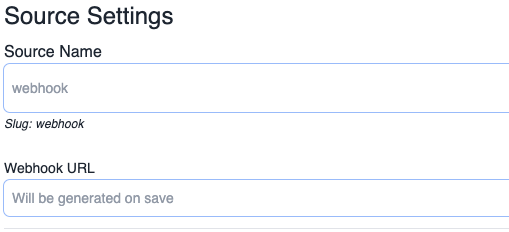
Once you're assigned a webhook URL, in Tailscale's Logs product, select "Network logs", create a Splunk streaming destination, and set RunReveal's webhook URL as your webhook URL without any Token or API key.

Verify It's Working
Once added the source logs should begin flowing within a minute.
You can validate we are receiving your logs by running the following SQL query.
Schema
The following columns are exposed for this source. RunReveal applies schema normalization across all sources, ensuring uniform field names and data types for cross-source queries and reusable detection logic.
Table: tailscale_flow_logs (46 columns)
tailscale_flow_logs (46 columns)| Column | Type |
|---|---|
workspaceID | String |
sourceID | String |
sourceType | String |
sourceTTL | UInt32 |
receivedAt | DateTime |
id | String |
eventTime | DateTime |
eventName | String |
eventID | String |
srcIP | String |
srcASCountryCode | String |
srcASNumber | UInt32 |
srcASOrganization | String |
srcCity | String |
srcConnectionType | String |
srcISP | String |
srcLatitude | Float64 |
srcLongitude | Float64 |
srcUserType | String |
dstIP | String |
dstASCountryCode | String |
dstASNumber | UInt32 |
dstASOrganization | String |
| Column | Type |
|---|---|
dstCity | String |
dstConnectionType | String |
dstISP | String |
dstLatitude | Float64 |
dstLongitude | Float64 |
dstUserType | String |
actor | Map(String, String) |
tags | Map(String, String) |
resources | Array(String) |
serviceName | String |
enrichments | Array(Tuple(data Map(String, String), name String, provider String, type String, value String)) |
readOnly | Bool |
rawLog | String |
nodeId | String |
startTime | DateTime |
endTime | DateTime |
proto | UInt8 |
src | String |
dst | String |
txPkts | UInt64 |
txBytes | UInt64 |
rxPkts | UInt64 |
rxBytes | UInt64 |