

Netskope
Collect security events from your Netskope platform including application usage, network traffic, alerts, DLP incidents, and user activity.
Setup
RunReveal connects to Netskope using REST API v2 dataexport iterator endpoints (/api/v2/events/dataexport), polling for new events every 30 seconds. To get set up, create a Netskope role with the right permissions and a service account with an API token (Steps 1–2), then add the source in RunReveal (Step 3). If the token cannot read a selected event type, that stream is skipped while others continue ingesting.
Step 1: Create a role
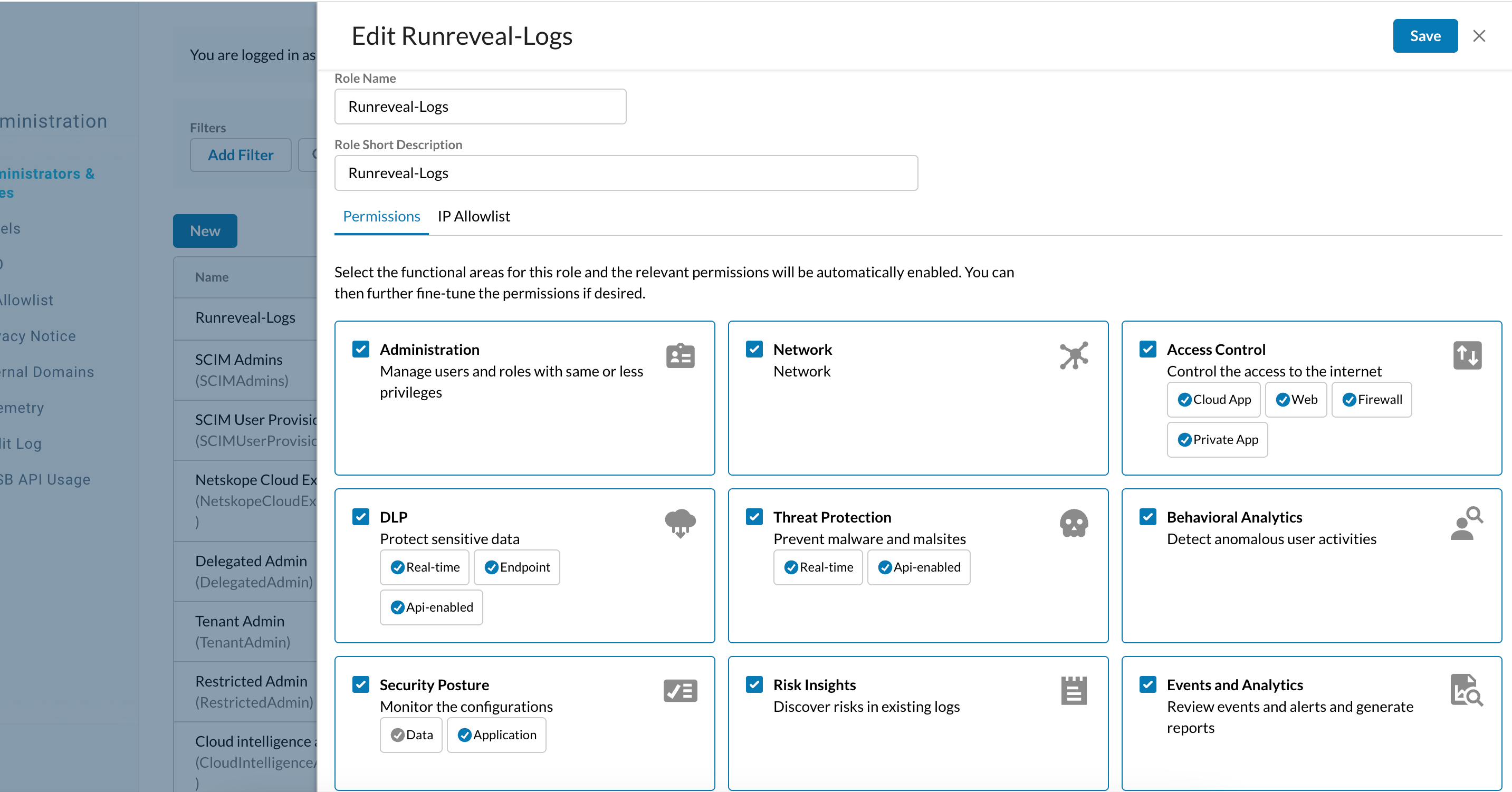
- Go to Settings → Administration → Administrators & Roles, open the Roles tab, and click Create Role.
- Name the role RunReveal-Logs (or any name you prefer).
- Grant View on the functional areas that match the event types you want to collect.
- Permissions map directly to API paths—for example, Access Control → Application Events covers
/api/v2/events/dataexport/events/application. You pick functional areas; Netskope handles the path mapping. Use the role editor tooltips or Mapping API v2 endpoints to RBAC v3 Roles if you're unsure which permission covers which stream. - The event type values in RunReveal match the segment after
/events/in those paths:
| Value | Label |
|---|---|
application | Application |
page | Page |
network | Network |
audit | Audit |
alert | Alert |
connection | Connection |
infrastructure | Infrastructure |
incident | Incident |
endpoint | Endpoint |
Step 2: Service account and token
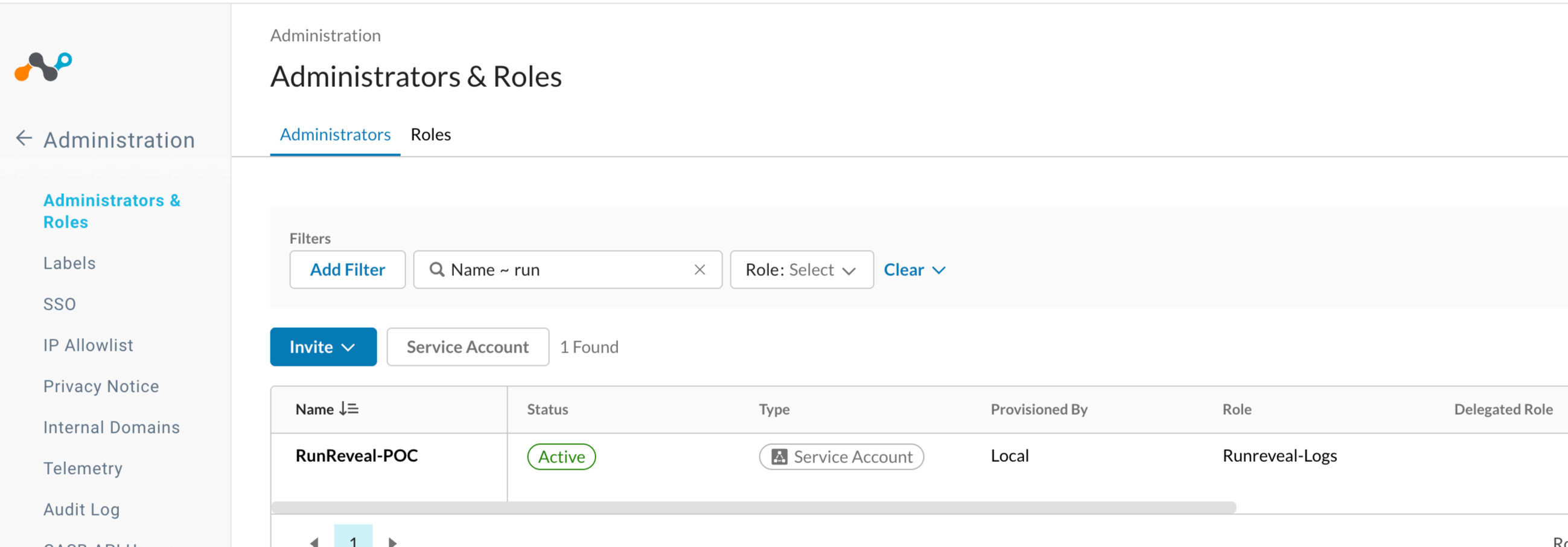
- In the same Administrators & Roles area, open the Administrators tab.
- Click Add Service Account (the button label may vary by tenant).
- Enter a name for the account, such as
runreveal-integration. - Assign the role you created in Step 1.
- Click Save.
- Generate an API token from the service account. Copy it immediately—it is shown only once.
For a full walkthrough, see Netskope's Create a new service account guide.
Step 3: Connect in RunReveal
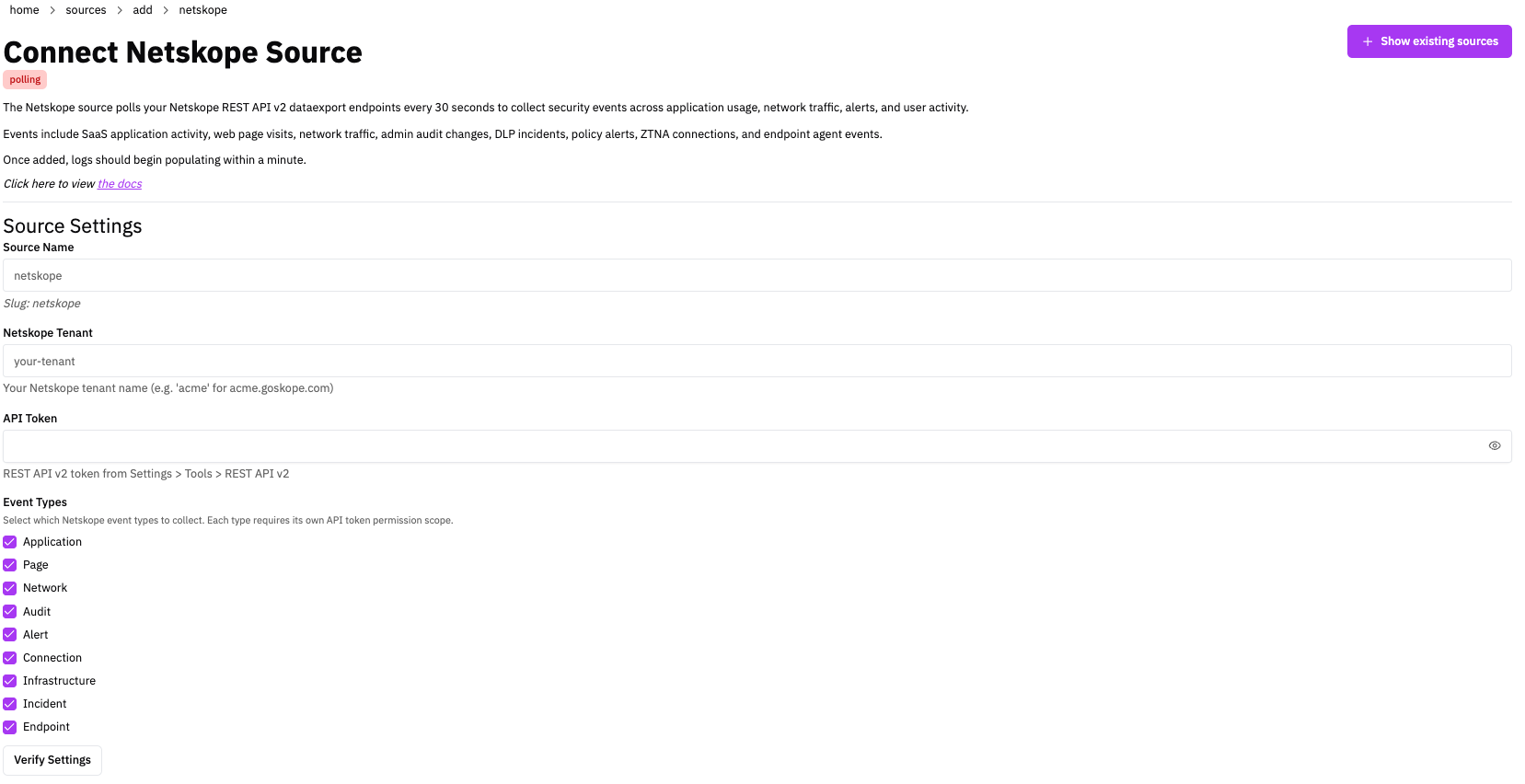
- In RunReveal, go to Sources and click Add Source.
- Select the Netskope tile and click Connect Netskope Source.
- Source name — Enter a name and slug you'll recognize later.
- Netskope Tenant — Enter the subdomain only. For
acmecorp.goskope.com, enteracmecorp. Do not includehttps://or.goskope.com. - API Token — Paste the token from Step 2.
- Event types — Enable only the types your role has View access for (see the Step 1 table). Selecting an unsupported type won't break the source—those streams are silently skipped—but at least one type must be selected.
- Click Connect Source. RunReveal backfills existing logs on first sync, then polls every 30 seconds going forward.
Verify It's Working
Logs usually appear within a few minutes. Run:
For Netskope-specific columns, use the netskope_logs view in the schema below.
Schema
The following columns are exposed for this source. RunReveal applies schema normalization across all sources, ensuring uniform field names and data types for cross-source queries and reusable detection logic.
Table: netskope_logs (69 columns)
netskope_logs (69 columns)| Column | Type |
|---|---|
workspaceID | String |
sourceID | String |
sourceType | String |
sourceTTL | UInt32 |
receivedAt | DateTime |
id | String |
eventTime | DateTime |
eventName | String |
eventID | String |
srcIP | String |
srcASCountryCode | String |
srcASNumber | UInt32 |
srcASOrganization | String |
srcCity | String |
srcConnectionType | String |
srcISP | String |
srcLatitude | Float64 |
srcLongitude | Float64 |
srcUserType | String |
dstIP | String |
dstASCountryCode | String |
dstASNumber | UInt32 |
dstASOrganization | String |
dstCity | String |
dstConnectionType | String |
dstISP | String |
dstLatitude | Float64 |
dstLongitude | Float64 |
dstUserType | String |
actor | Map(String, String) |
tags | Map(String, String) |
resources | Array(String) |
serviceName | String |
enrichments | Array(Tuple(data Map(String, String), name String, provider String, type String, value String)) |
readOnly | Bool |
| Column | Type |
|---|---|
rawLog | String |
netskopeEventID | String |
timestamp | UInt64 |
eventType | String |
user | String |
app | String |
activity | String |
alertType | String |
severity | String |
policy | String |
device | String |
location | String |
category | String |
ccl | String |
cci | UInt32 |
accessMethod | String |
trafficType | String |
protocol | String |
url | String |
page | String |
object | String |
objectType | String |
instanceID | String |
fromUser | String |
toUser | String |
fileType | String |
fileName | String |
fileSize | UInt64 |
dlpProfile | String |
dlpRule | String |
browserSessionID | String |
connectionID | String |
requestID | String |
transactionID | String |