

Backfill
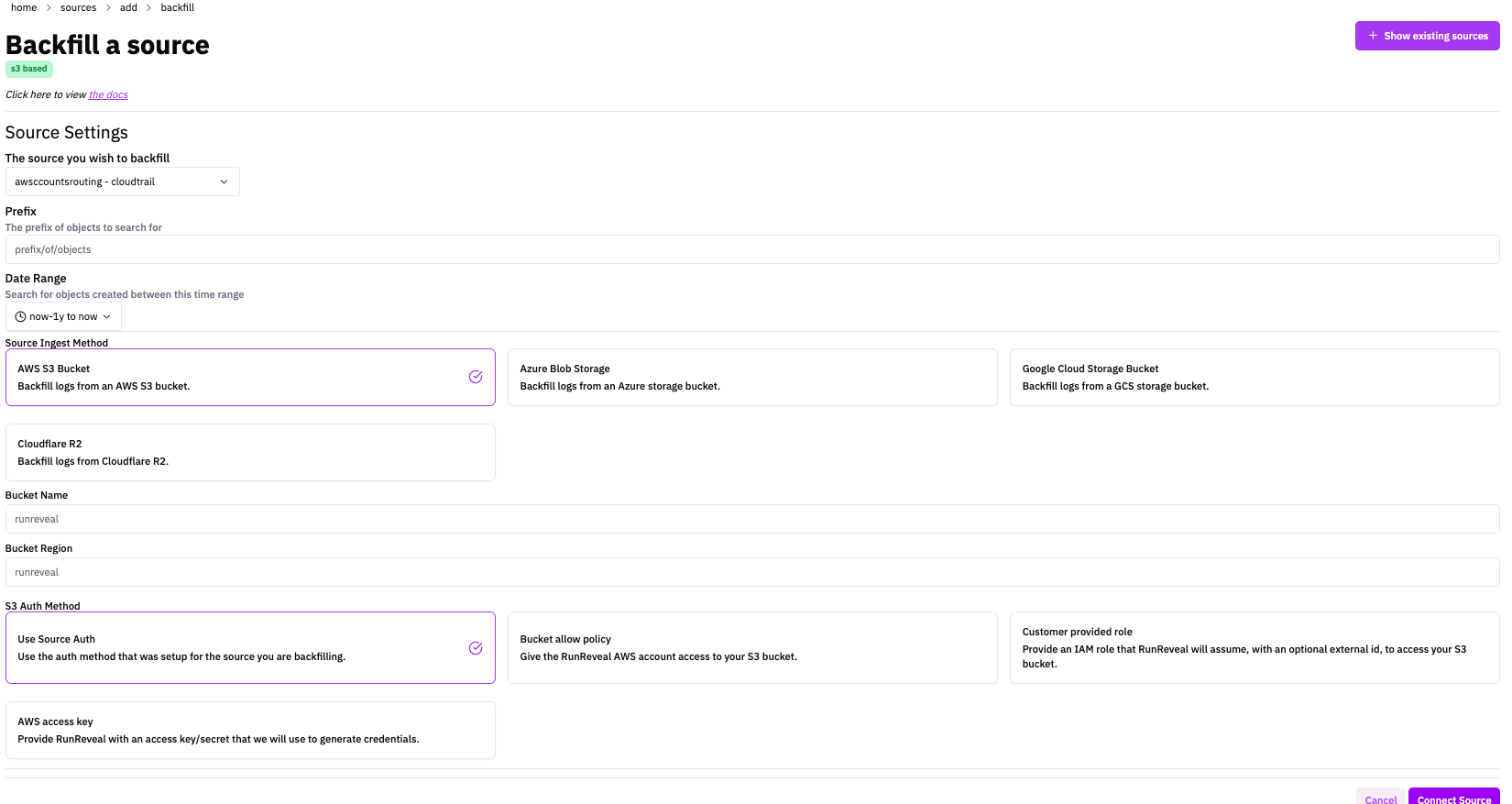
Backfill allows you to ingest logs that you've already collected and stored in a blob storage container. This is useful for importing historical logs or migrating logs from another system. The backfill process can take some time depending on the volume of logs.
Processing Time: Backfilling large volumes of logs can take significant time. RunReveal will process all logs in the specified storage location, which may take hours or days depending on the amount of data.
Ingest Methods
Setup the backfill using one of the following storage providers.
Setup
- In RunReveal, navigate to Sources → Add Source
- Search for and select Backfill
- Enter a descriptive Name for your backfill job
- Select the appropriate Ingest Type based on your storage provider
- Configure the following fields:
Source Settings
- Source - The source you'd like to backfill
Prefix
- Prefix - The prefix of objects to search for
Date Range
- Date Range - Search for objects created between this time range to backfill
Auth Method
- Auth Method - The method of authentication you'd like to use for the source - reuse the config or authenticate in another way depending on bucket source
Bucket Configuration
- Bucket name and configuration settings - Configure the storage credentials and bucket settings according to your selected ingest type
What to Expect
- The backfill process will scan the specified storage location
- All log files found will be processed and ingested
- Processing happens in the background and may take time
- You can monitor progress through the RunReveal dashboard
Schema
The following columns are exposed for this source. RunReveal applies schema normalization across all sources, ensuring uniform field names and data types for cross-source queries and reusable detection logic.
Table: runreveal_logs (22 columns)
runreveal_logs (22 columns)| Column | Type |
|---|---|
id | String |
receivedAt | DateTime |
workspaceID | String |
sourceType | String |
sourceID | String |
eventID | String |
eventName | String |
eventTime | DateTime |
readOnly | Bool |
srcIP | String |
resources | Array(String) |
serviceName | String |
srcASOrganization | Nullable(String) |
srcASNumber | Nullable(UInt32) |
srcASCountryCode | Nullable(String) |
dstIP | String |
dstASOrganization | Nullable(String) |
dstASNumber | Nullable(UInt32) |
dstASCountryCode | Nullable(String) |
actor | Map(String, String) |
tags | Map(String, String) |
rawLog | String |