Tines
We support Tines as a destination so our customers can trigger different SOAR workflows.
Step 1: Create a Tines webhook
Create a Tines webhook to receive a notification event from RunReveal. Note the webhook URL and the secret.

Provide the RunReveal Tines notification with the Webhook URL, followed by the secret in the following format. You can read the Tines documentation about this here
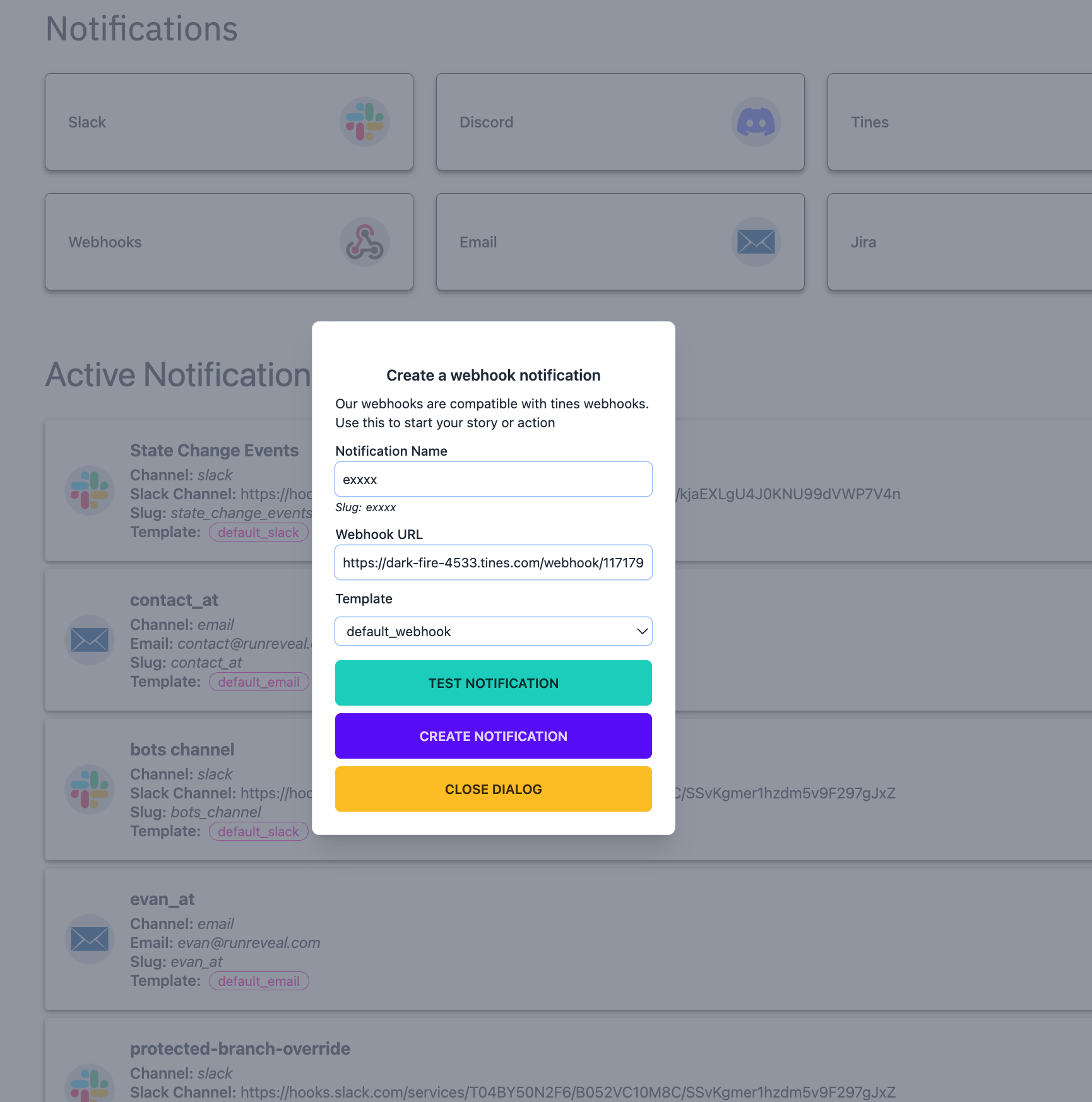
Step 2: Configure in RunReveal
- Go to Notification Channels
- Click Add Notification Channel and select Tines
- Enter a notification name and paste your Tines webhook URL
- Click Test Notification to be sure the secret was not rejected in Tines
- Click Create Notification to save